Pass the Remote, Not the History: Testing Adult Preview Hubs on TVs and Tablets in 2026
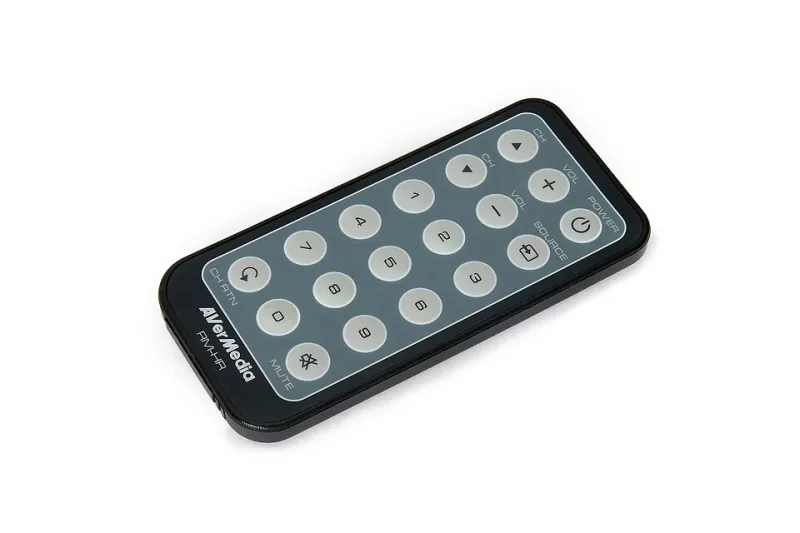
Photo: Taken by the uploader, w:es:Usuario:Barcex, CC BY-SA 3.0, via Wikimedia Commons
On a phone, a free adult preview is a private little transaction: thumb, screen, back button, done. Put the same page on a TV or a tablet propped on the couch, and it becomes a shared-room event. The remote is now part of the review. In 2026, the gap between a preview hub that behaves on mobile and one that behaves after a cast is wider than most people expect.
I ran a small living-room audit across several free adult preview hubs using a Roku, a Fire TV stick, an Apple TV box, a Chromecast, and a tablet in a browser. Same content categories, same rough time of night, same rules: no account sign-in unless the site forced it, no autoplay left unattended, and a stopwatch for how long it took to get from a preview grid to a clean exit. This wasn't a lab test. It was the messier version most US viewers actually face: a shared Wi-Fi network, a remote with too many buttons, and a household that doesn't need a surprise on the big screen.
The handoff is the real interface
Casting and mirroring are not the same thing, and free adult preview hubs rarely explain the difference. With Google Cast or AirPlay, the TV often receives a lean-back version of the player: fewer controls, a different autoplay queue, and sometimes no visible address bar to tell you which domain you're actually on. Mirroring is more literal. Your phone's screen becomes the TV's screen, including notifications, browser tabs, and whatever else you forgot was open.
That matters for adult previews because the phone is usually the private device and the TV is usually the shared one. A hub that looks tidy on a handset can expose a recommendation rail, a "recently viewed" shelf, or a login prompt on the television before you've found the volume button. The first test isn't picture quality. It's whether the page tells you what mode you're in.
Controls after the remote takes over
A remote-friendly adult preview hub should survive the D-pad. On a TV browser or a cast receiver, I looked for four things: can I move through the preview grid without a cursor, can I pause and resume without the phone, does the back button return me to the grid instead of dumping me to a home screen, and is there a visible exit that doesn't require killing the app.
The weak spots were consistent. Some players kept a tiny mobile-style scrub bar that was almost impossible to hit with a remote. Others hid the pause control until a tap, which is fine with a thumb and useless with a five-way navigation pad. A few let the phone act as the remote after casting, which sounds convenient until someone else picks up the phone. The best experiences treated the TV as its own screen: large hit targets, a clear back path, and no mystery buttons.
Autoplay and next-up rails on a shared screen
Autoplay is the biggest difference between private and shared viewing. On a phone, a next-up rail is a suggestion. On a TV, it's a countdown clock in the middle of the living room. I watched for whether the next clip started on its own, whether the countdown was visible, and whether the site gave a clear "stop after this" option. Several free hubs did not. One queued a related preview before the first clip had fully faded, with no obvious way to cancel from the remote.
For a household screen, that's not a feature. It's a risk. A good preview hub should make the next-up rail opt-in after a cast, or at least show a large, remote-selectable cancel button. If the only way to stop the queue is to grab the phone, the handoff has already failed.
History, recommendations, and the living-room leak
The quietest problem is the one that lingers after the session. Casting can leave a title in a TV's recent apps or continue-watching row. A smart TV browser may keep a history entry. A shared tablet may offer the same domain in autocomplete the next morning. Free adult preview hubs don't always control those layers, but they can reduce the damage with clear session labels, easy sign-out, and no forced account tie-in for basic previews.
My rule for 2026: treat the TV as a public device even when it's in your own home. If a preview hub asks you to log in before showing a free clip, assume the recommendation profile will follow you to the big screen. If it doesn't ask, still check the TV's own recent-apps list and the browser's history before you hand the remote to anyone else.
A remote-friendly checklist
Before you settle in, run this quick pass:
- Open the hub on the TV or tablet first, not just the phone. Confirm the domain and the player mode.
- Test the D-pad through one preview grid. If you can't reach pause, back, and exit, stop there.
- Find the autoplay setting before the first clip ends. If there isn't one, assume the queue will run.
- Check what the TV or tablet remembers after you close the tab or app.
- Use a private or guest browser profile on the tablet if the hub doesn't require a login.
- Keep the phone face-down and nearby, but don't rely on it as the only remote.
- Decide on a quick exit: back to grid, back to home, then close the app. Practice it once.
The quick exit matters more than the big screen
A big-screen adult preview can be perfectly legitimate entertainment for adults in a private setting. The problem is the transition. The best free hubs in this audit were not the ones with the flashiest players. They were the ones that made the handoff boring: clear controls, visible stop buttons, no surprise queue, and a clean way out.
That's the standard I'd keep for 2026. The remote should not be smarter than the viewer. If a free adult preview hub can't behave when the phone leaves your hand, it doesn't deserve the living room.