The Meter Is Always On: A 2026 Bandwidth Budget for Free Adult Previews
Photo: -- Eraserhead1
There is a specific kind of regret that arrives around day 24 of a billing cycle, when your phone warns you that you have burned through 90 percent of your high-speed data and you cannot quite explain where it went. You did not download anything gigantic. You did not stream a four-hour movie. You clicked around a few free adult preview hubs, watched some clips, maybe left a tab open while you made dinner. That should be cheap, right?
Not necessarily. In 2026, the free-preview economy runs on rich pages, preloaded thumbnails, autoplay teasers, and silent background requests. The cover charge is zero, but the meter is always running. Treat bandwidth like the real price of admission and the whole experience gets easier to manage.
Start With the Page, Not the Player
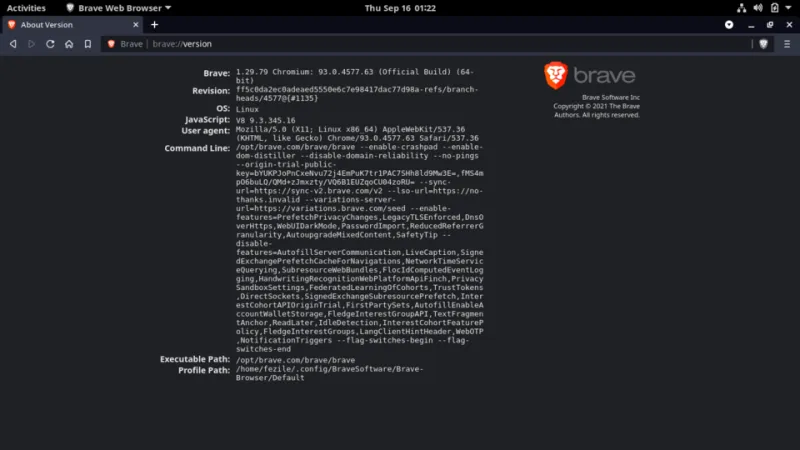
Most people measure data usage after the fact, which is a little like checking your receipt after you have already left the store. A better move is to look at what loads before you press play. Open a preview hub in a desktop browser, open the developer tools, and switch to the network panel. Clear the log, reload the page, and watch the total transferred number settle.
A lean preview page might land in the low single-digit megabytes. A heavy one can easily hit 15 to 30 MB before a single frame of video starts, because the site is loading hero images, thumbnail grids, tracking scripts, font files, ad containers, and whatever else it decided you needed. On a phone, that page weight is not free. It comes out of the same bucket as your maps, messages, and music.
Pay attention to the number of requests too. A page that fires 200 requests is not automatically worse than one that fires 40, but it usually means more moving parts, more retries, and more chances for a slow connection to keep pulling data long after you have stopped looking.
Thumbnails Are Tiny Until They Are Not
Thumbnail grids are the quiet overachievers of data waste. Each image looks small on screen, so it feels small in cost. But a modern preview hub may load dozens of thumbnails at once, often at higher resolution than the display ever needs, and often with hover previews or animated versions layered on top.
Here is a simple test: load a category page, do not click anything, and watch the network panel for 30 seconds. If the transferred total keeps climbing while you sit still, the page is still working. That could be lazy-loaded images below the fold, video previews that start on hover, or ad tech refreshing in the background. None of it is unusual, but all of it counts.
On a phone, this matters more because mobile browsers are aggressive about prefetching and keeping tabs alive. A tab you forgot about can keep sipping data in the background. If you are previewing on cellular, close the tabs you are not using. It sounds obvious. It is also the cheapest fix on this list.
Autoplay Is a Subscription You Did Not Sign Up For
Autoplay is where free preview hubs and data caps stop being polite to each other. A single autoplay stream at 720p might run a few hundred megabytes over a long session. At 1080p, it can climb past a gigabyte without much effort. If the hub defaults to the highest resolution your connection can handle, you may be paying for quality you did not ask for.
Use the network panel to watch what happens the moment a clip starts. Note the initial burst, then watch the steady transfer rate. If the site offers a quality selector, drop it to 480p or 720p and compare. On a phone screen, the difference between 720p and 1080p is often less dramatic than the difference in data cost. On a tablet, you may care more. On a laptop tethered to your phone, you should care a lot.
Also check whether the site autoplays a preview when you hover, scroll, or simply land on a page. Hover-autoplay is a common trick because it feels interactive, but it can start a stream before you have decided you want one.
Build a Realistic Monthly Budget
You do not need a spreadsheet to do this, but a little arithmetic helps. Start with your carrier plan. Many US postpaid plans throttle or deprioritize after a set high-speed allowance, and prepaid plans often cut you off more sharply. Home Wi-Fi usually has a monthly cap too, even if it is generous.
Now estimate a session. If a preview hub costs 20 MB to load and you watch three five-minute clips at roughly 5 MB per minute, that is about 95 MB for a short visit. Do that twice a day for a month and you are near 6 GB. That is not catastrophic on a large plan, but it is real. If you are on a smaller mobile plan, it is the difference between a comfortable month and a lot of Wi-Fi-only days.
The practical move is to separate previewing from watching. Browse on Wi-Fi. Use cellular for short checks, not long sessions. If you are on a tablet with a cellular plan, set the browser or app to lower quality by default and only raise it when you are on Wi-Fi. If you tether a laptop to your phone, treat that connection like a limited resource, because it is.
The Takeaway
Free adult previews are free in the same way a sample table is free: you are not paying cash at the counter, but you are still spending something. Page weight, thumbnail grids, autoplay, and default resolution all add up. In 2026, the smartest viewers are not the ones who find the most obscure hubs. They are the ones who know what a session costs before they start it.
Check the network panel once. Set a quality ceiling. Close the tabs. Your data cap will thank you, and your month will feel a lot less like a countdown.